[ILLUSION] Koikatu! - Questions & General Discussion Thread

T

taotao

Senior Member
Joined
May 15, 2025
Messages
58
Reaction score
319
Points
53
Credits
3,625

I want to combine X-ray Womb with a penis and store the penis inside the uterus. I heard using blend shapes would allow storage, so I tried various methods, but whether it's an external penis or an internal penis, they just overlap and won't store. What should I do?
 
M

MorumoMerry

Veteran Member
Joined
Apr 6, 2025
Messages
83
Reaction score
415
Points
53
Credits
4,525
s79shuo.png

I want the outfit from this scene, but it just looks like a screenshot.
I think it's because the versions of some mods don't match. Do you know which ones?
LGU5RvU.png

I managed to dress them in something that looks the part.
The problem itself hasn't been solved, so if anyone knows how, please help.
 
Kazami073

Kazami073

Active Member
Joined
Jan 9, 2026
Messages
35
Reaction score
53
Points
18
Credits
905
Random Question...

Can a Honey Come Card be converted or used in Koikatsu?
 
Last edited:
2

20213810

New member
Joined
Feb 28, 2026
Messages
1
Reaction score
0
Points
1
Credits
25
Hi, I have a Shasa card I got from Pixiv last year (I don’t remember who the author is). I only remembered it when I was organizing my cards. The issue is that the hair doesn’t load properly — maybe I’m missing a mod, but the game doesn’t say anything is missing. I hope someone can help me out.

Sasha
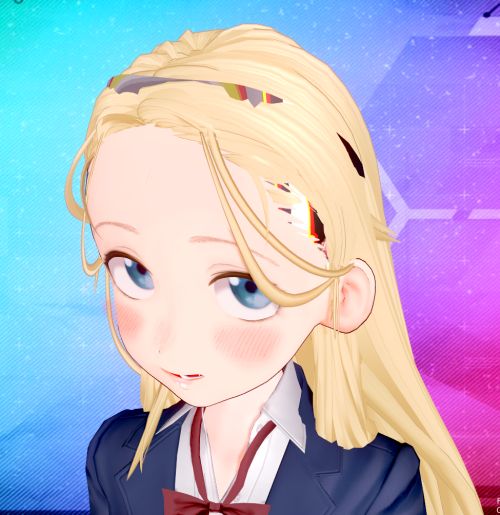
Can you please upload it again?
 
T

taotao

Senior Member
Joined
May 15, 2025
Messages
58
Reaction score
319
Points
53
Credits
3,625

I want to combine X-ray Womb with a penis and store the penis inside the uterus. I heard using blend shapes would allow storage, so I tried various methods, but whether it's an external penis or an internal penis, they just overlap and won't store. What should I do?
After adjusting the rendering of the penis and the female body, they can now be combined. Sharing this just in case.
 
K

Kenzow

Member
Joined
Nov 21, 2024
Messages
43
Reaction score
23
Points
8
Credits
600
does anyone know how to relocate giddora's scene characters?
i want to merge some of giddora's scenes but i cant seem to find a way.
 
Malding

Malding

Senior Member
Joined
May 26, 2025
Messages
57
Reaction score
235
Points
33
Credits
2,815
Hi. Are the backup links to the cards only available on the Telegram channel? I tried to find this archive there. But number 27873 contains other files (an archive with scenes, not cards), and the link to the gofile Cn3Zbh doesn't find anything at all. Are there any other places where backups are available? Thanks for answer.
 
Z

Zombie92

New member
Joined
Feb 23, 2026
Messages
3
Reaction score
1
Points
3
Credits
75
Hi, is it normal for characters exported from scenes not to have thumbnails? Is there any way to automatically generate thumbnails for them?
 
tsillaz

tsillaz

Veteran Member
Joined
Nov 17, 2024
Messages
186
Reaction score
504
Points
93
Credits
5,410
Is there any way to extract this sounds/moans from Chara Studio?

I don't know if there's a folder with them, but if there is, I haven't found it (╥﹏╥)

CqvKec1.png
 
LordBubnub

LordBubnub

Veteran Member
Joined
Oct 9, 2025
Messages
239
Reaction score
696
Points
93
Credits
7,862
Hi, is it normal for characters exported from scenes not to have thumbnails? Is there any way to automatically generate thumbnails for them?
Yes, it is normal. And no, there is no way to automatically generate a thumbnail. The best way to do it is to just load up Character Maker and load the card. Then just save with an image so it doesn't look like this.

7zjs5x3.png


Trust me, it gets confusing the more you do it.
 
LordBubnub

LordBubnub

Veteran Member
Joined
Oct 9, 2025
Messages
239
Reaction score
696
Points
93
Credits
7,862
Is there any way to extract this sounds/moans from Chara Studio?

I don't know if there's a folder with them, but if there is, I haven't found it (╥﹏╥)

CqvKec1.png
If you are asking for all the sounds for the moans, I have it. Just a heads up, I cannot possibly filter all of them so you're going to have to go through 70,000 audio files. Unfortunately, the files are not named as you see in-game. The best tip I have for you is to go to the filenames that start with "h_" since that's where majority of what you want will have that as the start of the file. But it's practically all of the audio files in Koikatsu Party so if anyone was looking for the BGM or any of the game's audio files, I'll include it here.

Koikatsu Audio Files (BGM, Sound Effects, Voice lines, Moans, etc.)

Part 1


Part 2

First of all, there is an audio folder folder. You can find it in the abdata folder in the main directory of your Koikatsu Game. HOWEVER, to the normal person, they are completely unusable. Everything is stored in a compressed .unity3d or .resource file that require specific tools to unpack.

The way I did it was I used a tool called AssetStudio. It basically can extract Unity project files so that it can be usable to anyone. It doesn't work with all files because some have methods to prevent asset stealing, but most unity files should work with asset studio.

SCjog4F.png


In the abdata folder, there's a sounds folder where all the game's files are stored. I selected the sounds folder, and AssetStudio extracted the compressed audio files into .wav files. But since they are no longer compressed, it's the full file size.

You can also just extract it individually or by group by selecting the ones you need only by right clicking and clicking on "Export selected assets". There's also a preview so you can listen to it before extracting.

YyYYPVP.png


That's basically what I did to get the audio files of the game.

BUT THAT'S NOT THE ONLY USE CASE

AssetStudio can be used to extract zipmod files!

liYYtwB.png

XHceg5E.png

6GL1iwD.png

5SAgQV6.png


It extracts the bones, the meshes, shaders, monobehavior, and textures as well. It can all be usable inside Unity then editable from there. I don't know the particulars of editing in Unity yet as I'm still learning it. But generally speaking, once you can get assets from zipmods and Koikatsu, you basically can get infinite assets for Blender, Unity, MMD, etc. from extracting other people's works for infinite asset glitch. Making it work perfectly though is another story.

This is just a Koikatsu use case. Of course, AssetStudio has been used for other Unity projects where you can get the assets of games if you have the direct unencrypted files.

Example Tutorial of Asset Studio for anyone who's interested.
View: https://www.youtube.com/watch?v=zgglKNFbvfk


Asset Studio GitHub Repo
https://github.com/aelurum/AssetStudio

Link to Download .NET 9.0 in case you don't have it

Maybe one day there will be more high quality tutorials in the future. Mr. trpotat22's tutorial on GFL2 ports is one of the people who makes high quality works with a tutorial on how to do it. So with just enough time, people can port other 3D assets from games. Or editing zipmods of dead creators just to fix them.

If I was good enough at this, I could be porting that Sounds of Earth that no one has yet since Umamusume gives their 3D models as well.
View: https://www.youtube.com/watch?v=si6uVbrur7I
 
tsillaz

tsillaz

Veteran Member
Joined
Nov 17, 2024
Messages
186
Reaction score
504
Points
93
Credits
5,410
If you are asking for all the sounds for the moans, I have it. Just a heads up, I cannot possibly filter all of them so you're going to have to go through 70,000 audio files. Unfortunately, the files are not named as you see in-game. The best tip I have for you is to go to the filenames that start with "h_" since that's where majority of what you want will have that as the start of the file. But it's practically all of the audio files in Koikatsu Party so if anyone was looking for the BGM or any of the game's audio files, I'll include it here.

Koikatsu Audio Files (BGM, Sound Effects, Voice lines, Moans, etc.)

Part 1


Part 2

First of all, there is an audio folder folder. You can find it in the abdata folder in the main directory of your Koikatsu Game. HOWEVER, to the normal person, they are completely unusable. Everything is stored in a compressed .unity3d or .resource file that require specific tools to unpack.

The way I did it was I used a tool called AssetStudio. It basically can extract Unity project files so that it can be usable to anyone. It doesn't work with all files because some have methods to prevent asset stealing, but most unity files should work with asset studio.

SCjog4F.png


In the abdata folder, there's a sounds folder where all the game's files are stored. I selected the sounds folder, and AssetStudio extracted the compressed audio files into .wav files. But since they are no longer compressed, it's the full file size.

You can also just extract it individually or by group by selecting the ones you need only by right clicking and clicking on "Export selected assets". There's also a preview so you can listen to it before extracting.

YyYYPVP.png


That's basically what I did to get the audio files of the game.

BUT THAT'S NOT THE ONLY USE CASE

AssetStudio can be used to extract zipmod files!

liYYtwB.png

XHceg5E.png

6GL1iwD.png

5SAgQV6.png


It extracts the bones, the meshes, shaders, monobehavior, and textures as well. It can all be usable inside Unity then editable from there. I don't know the particulars of editing in Unity yet as I'm still learning it. But generally speaking, once you can get assets from zipmods and Koikatsu, you basically can get infinite assets for Blender, Unity, MMD, etc. from extracting other people's works for infinite asset glitch. Making it work perfectly though is another story.

This is just a Koikatsu use case. Of course, AssetStudio has been used for other Unity projects where you can get the assets of games if you have the direct unencrypted files.

Example Tutorial of Asset Studio for anyone who's interested.
View: https://www.youtube.com/watch?v=zgglKNFbvfk


Asset Studio GitHub Repo
https://github.com/aelurum/AssetStudio

Link to Download .NET 9.0 in case you don't have it

Maybe one day there will be more high quality tutorials in the future. Mr. trpotat22's tutorial on GFL2 ports is one of the people who makes high quality works with a tutorial on how to do it. So with just enough time, people can port other 3D assets from games. Or editing zipmods of dead creators just to fix them.

If I was good enough at this, I could be porting that Sounds of Earth that no one has yet since Umamusume gives their 3D models as well.
View: https://www.youtube.com/watch?v=si6uVbrur7I

THIS IS AMAZING!! THANK YOU SO MUCH!!! ₍₍⚞(˶♡ꇴ♡˶)⚟⁾⁾
 
W

waltz1809

New member
Joined
Mar 5, 2026
Messages
10
Reaction score
1
Points
3
Credits
95
About the sound... Do we have climax sound in chara studio? I use tab [Voice], hearing for almost 2 hours but dont hear any sound like climax sound :((
 
act

act

Senior Member
Joined
Aug 16, 2025
Messages
19
Reaction score
283
Points
48
Credits
2,885

How to fix hair floating? Thought it could be colliders but to no avail. Elasticity/damping/stiffness doesn't seem to be it either. Thanks in advance!
 
F

FrankSaka

New member
Joined
Dec 20, 2025
Messages
3
Reaction score
0
Points
1
Credits
75
Hi guys, just a question. when i put 15 or 10 character in Koikatsu Studio, its started laggy and fps is about 5 or 6 fps. Can I know what to do to get a good fps plus using more character? Thank you.
 
S

Stigma

KK Master
Joined
Apr 5, 2025
Messages
618
Reaction score
3,466
Points
93
Credits
39,434
Since I installed the latest version of koikatsu hfpatch, Zhu Yuan's accessories have started falling to the ground.
Can someone tell me how to fix this?
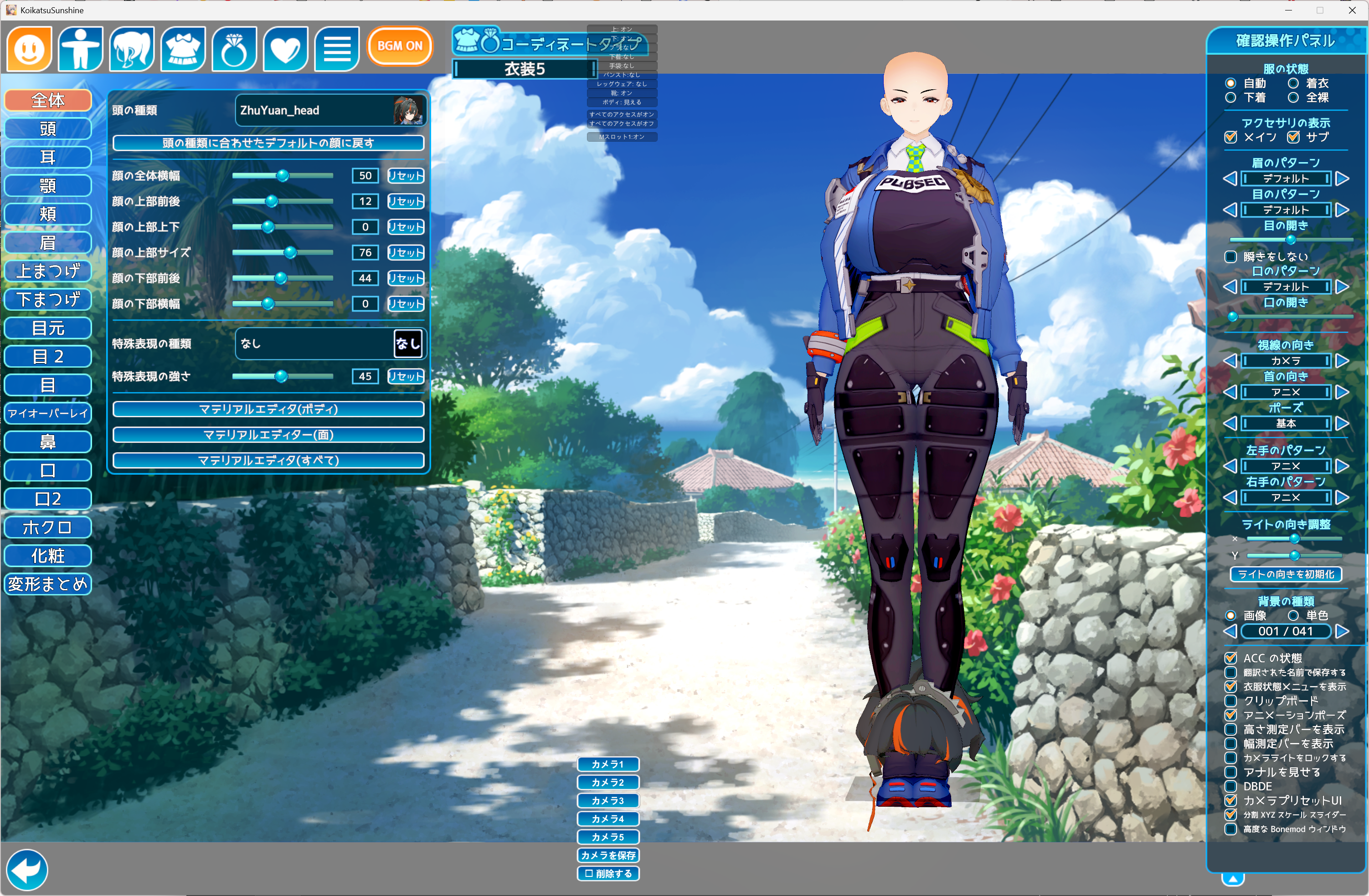
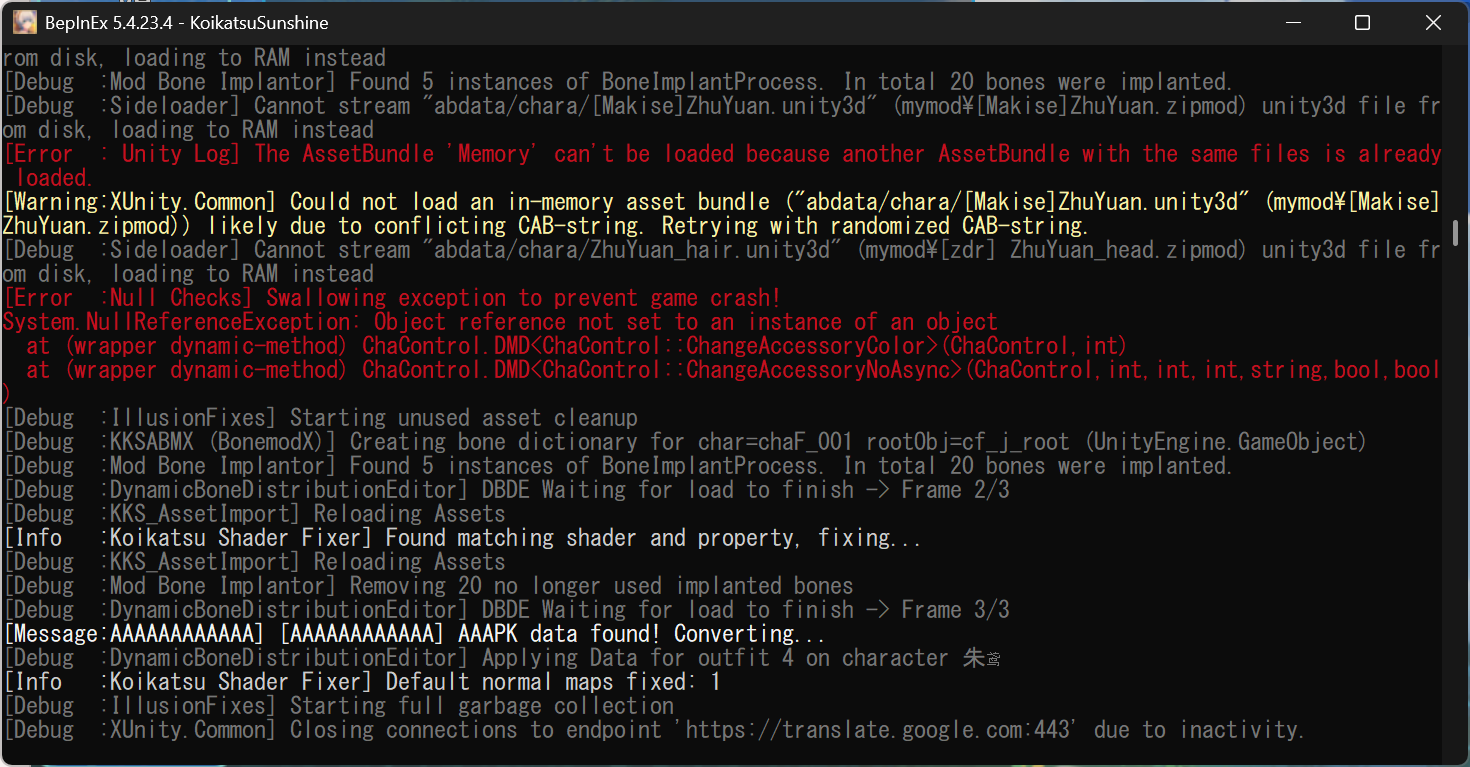
The HF update deleted your WTF plugins, here
 
gustavo40

gustavo40

KK Master
Joined
May 17, 2025
Messages
283
Reaction score
1,359
Points
93
Credits
14,335

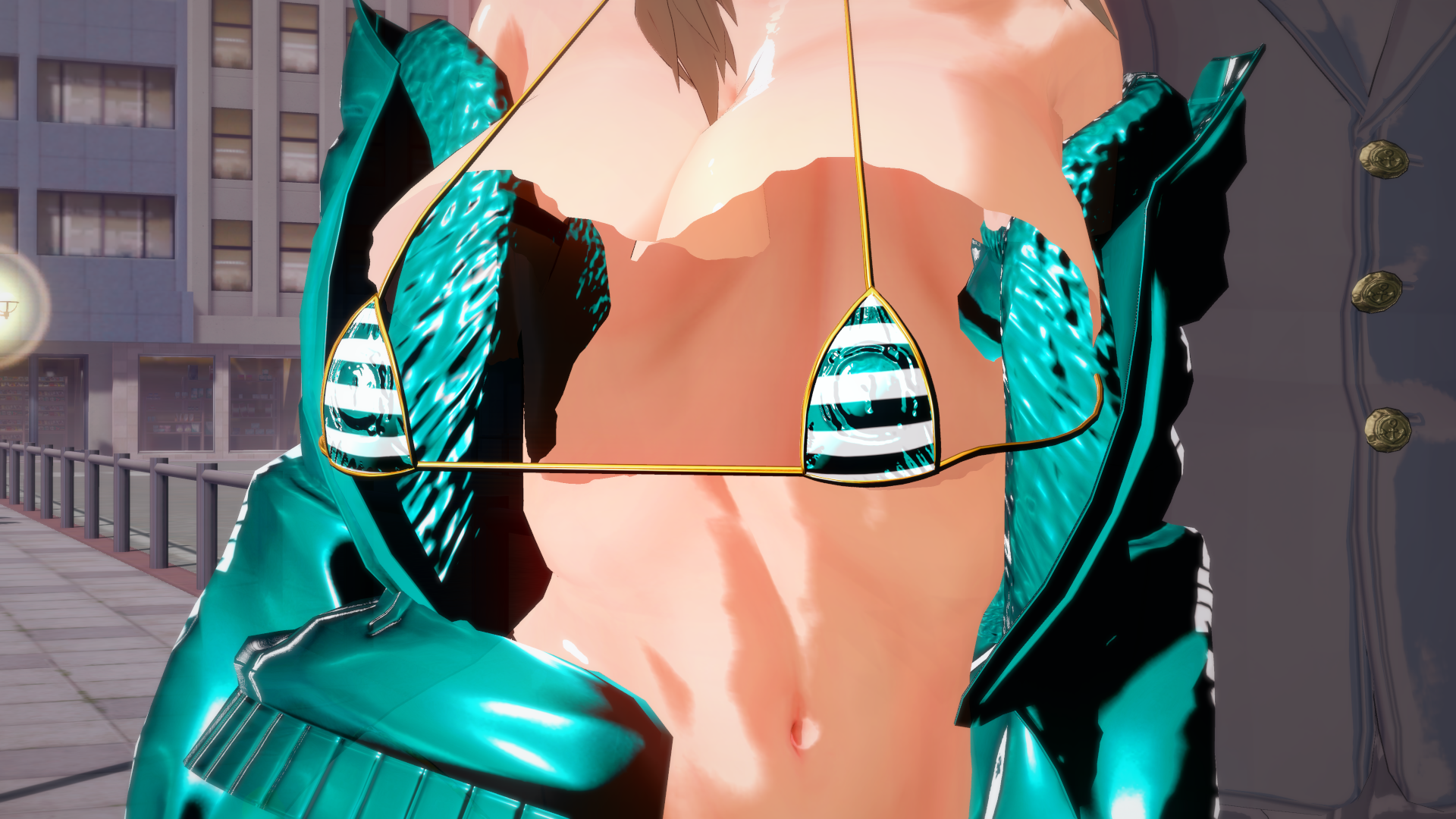
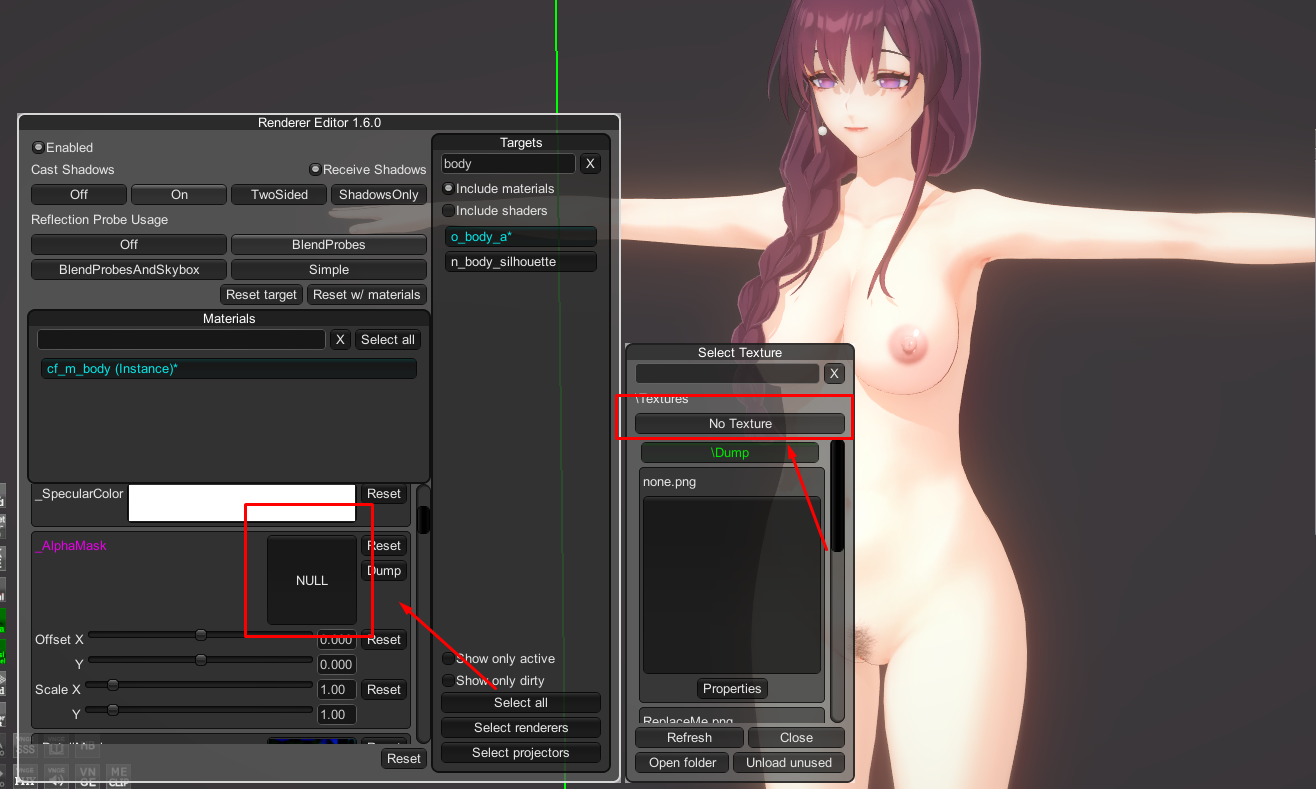
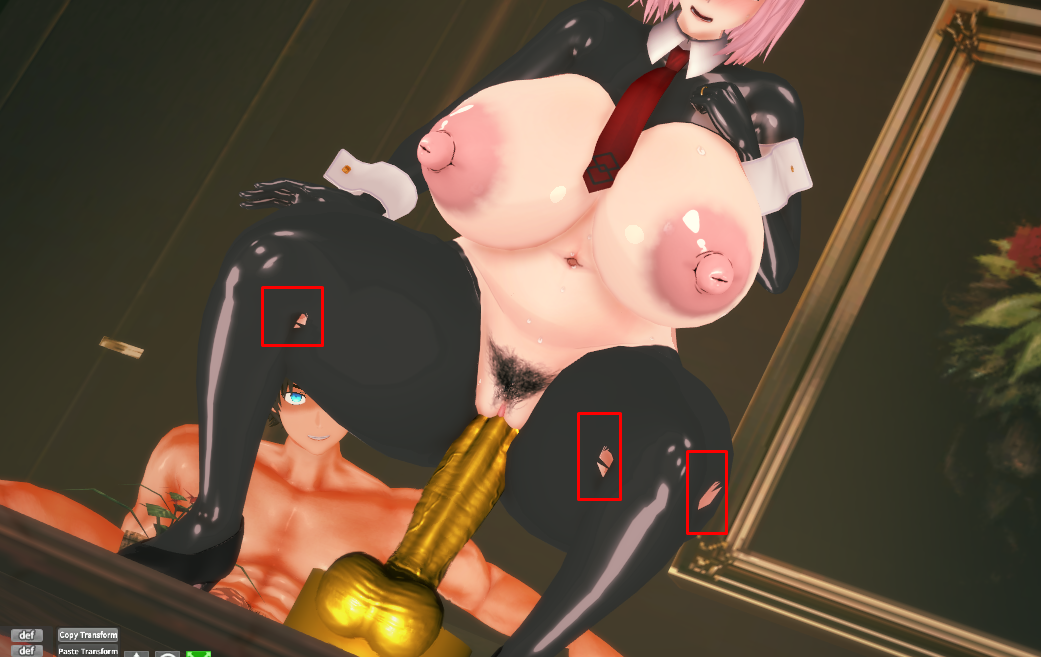
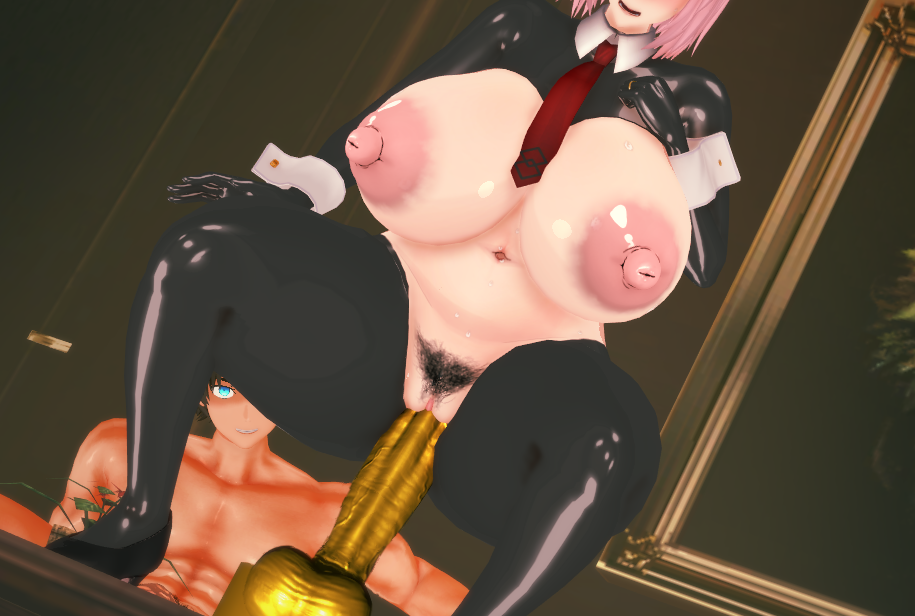
can anyone tell me how to fix this? suddenly all character cards that have this top get this.
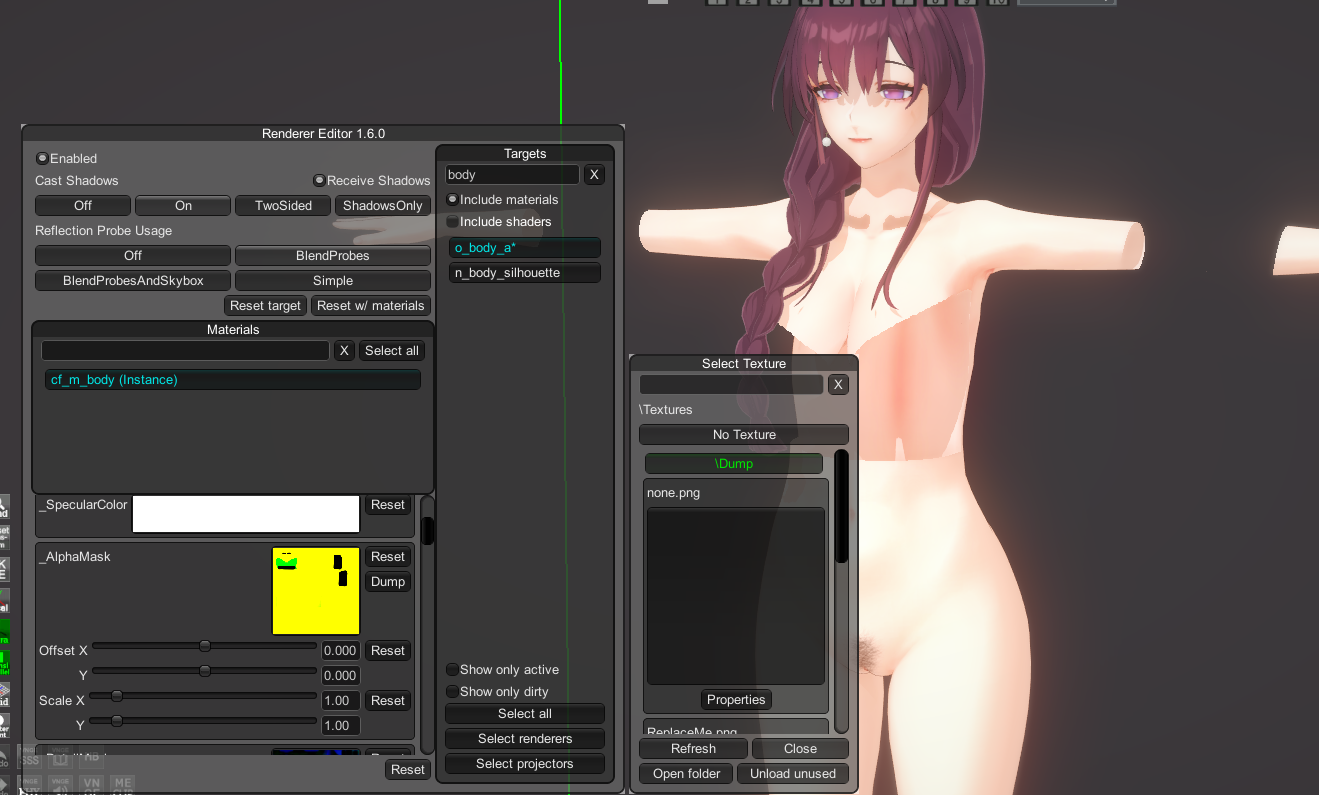
Open the renderer editor (Ctrl + R), search for "body", go to "_alphamask" and click on no texture.


It is also useful for hiding parts of the body.

before


after
 
S

spectralp

New member
Joined
Feb 28, 2026
Messages
6
Reaction score
7
Points
3
Credits
115
So I have a scene which has a watermark on it (a frame). I searched about it and found it that I have to go to Add > Frame > None to remove it. But in my studio there isn't this option. If someone could help me.
PVEzA75.png
 
LordBubnub

LordBubnub

Veteran Member
Joined
Oct 9, 2025
Messages
239
Reaction score
696
Points
93
Credits
7,862
Open the renderer editor (Ctrl + R), search for "body", go to "_alphamask" and click on no texture.


It is also useful for hiding parts of the body.

before


after
Hi, I didn't realize that this could solve my problem above. How do I know what yellow part of the texture I need to edit for the part to be hidden? Does black mean it's going to be hidden?

 
gustavo40

gustavo40

KK Master
Joined
May 17, 2025
Messages
283
Reaction score
1,359
Points
93
Credits
14,335
Hi, I didn't realize that this could solve my problem above. How do I know what yellow part of the texture I need to edit for the part to be hidden? Does black mean it's going to be hidden?
This option is only good for opaque clothing, as it hides part of the body.


Here are some ways I use to solve this problem.
 
gustavo40

gustavo40

KK Master
Joined
May 17, 2025
Messages
283
Reaction score
1,359
Points
93
Credits
14,335
The latest version of the VideoExport 2.0.3 plugin is having a problem when exporting video. Is this happening only to me or to anyone else?

For some reason, in the first frame of the video, the characters look like this.


normal


I am currently using VideoExport 1.7.1.
 
Hustle202

Hustle202

New member
Joined
Nov 19, 2025
Messages
4
Reaction score
1
Points
3
Credits
125


Hiya so for some strange reason this character card's eyeshadow makeup refuses to change no matter what I do when i do change it and then save the card it resets back to its original eyeshadow when I load it even though i already saved over it any advice?
 
KoiBoy99

KoiBoy99

Well-known Member
Joined
May 27, 2025
Messages
47
Reaction score
81
Points
18
Credits
1,250


Hiya so for some strange reason this character card's eyeshadow makeup refuses to change no matter what I do when i do change it and then save the card it resets back to its original eyeshadow when I load it even though i already saved over it any advice?
After a bit of prodding, what you want to do is open up the material editor (under "cf_m_face_00") then reset these two items: detail mask and overtex3. That will fix your issue. I'm guessing your modding this card from another user (nothing wrong with that). Just be mindful that when doing so, other users sometimes like to add their own custom textures to give their creations that extra bit of flourish.

Ofc share the finished card when your done pls. (y)
 
X

Xuialba

Active Member
Joined
Jan 29, 2025
Messages
47
Reaction score
37
Points
18
Credits
540
Open the renderer editor (Ctrl + R), search for "body", go to "_alphamask" and click on no texture.


It is also useful for hiding parts of the body.

before


after
is renderer editor for studio only? or is it also for base KK?

It seems that even though I installed renderer editor, it's not appearing for me. It doesn't even appear in the plugin list.
 
Last edited:
gustavo40

gustavo40

KK Master
Joined
May 17, 2025
Messages
283
Reaction score
1,359
Points
93
Credits
14,335
is renderer editor for studio only? or is it also for base KK?

It seems that even though I installed renderer editor, it's not appearing for me. It doesn't even appear in the plugin list.
It probably only works in the studio; you need to select the character in the workspace.
 
H

hoosun

New member
Joined
Jan 7, 2026
Messages
8
Reaction score
2
Points
3
Credits
240
Is there no problem if I delete the presets of [Community], [BetterRepack] that were downloaded together when I installed [BetterRepack]?
The path is located at Koikatsu > UserData > chara > female.
 
Z

ZhoiStrong

New member
Joined
Mar 21, 2026
Messages
1
Reaction score
0
Points
1
Credits
50

Does anyone know how to deal with this? I tried using the T-pose but it didn't work. Many scene cards have this problem, and it only happens with the hands.
 
Therandomdude123

Therandomdude123

Well-known Member
Joined
Apr 11, 2025
Messages
24
Reaction score
120
Points
28
Credits
1,455
Been following this creator's archive on kemono for awhile (thank you to whoever updates this) and I noticed that the most recent archive is missing links for card releases. (https://kemono.cr/patreon/user/95286951/post/149524188), is the first post with missing links. I did not see anything from the creator saying they would be moving links. I have heard kemono is constantly broken, so it could be that. I just wanted to ask for anyone's thoughts on this, since I have missed cards before because I was to late to download them.
 
Fobder

Fobder

Active Member
Joined
Feb 22, 2025
Messages
52
Reaction score
38
Points
18
Credits
830
Does Numb, the creator that makes snowbreak cards, only gives the mods and the coordinates? Which means I gotta make the character itself or there's a base card somewhere and the newly shared numb stuff are just coordinates for the character card?

KaunANb.png


Sample of one of the folders shared, only coordinates and instruction images.
 
R

rael3854

New member
Joined
Mar 17, 2026
Messages
6
Reaction score
1
Points
3
Credits
55
Does anyone know how to fix clipping here with blowjobs? Like how do I make her mouth fully envelope the dick?

 
Top
これは閲覧専用の自動翻訳ページです。返信・検索・ログインなどの操作は、オリジナルの英語版サイトへ移動してください。 英語版で開く (Open in English) ×